Cloud Upload
Upload directly to S3, Dropbox, Google Drive, SmugMug, Flickr, and 70+ providers.
 0:41
0:41Beyond FTP/FTPS/SFTP, FLOGVIT.photosuite uploads straight to cloud storage and photo platforms. Each is a connection in Settings → Connections, and is used the way an FTP server is: as an upload destination in the UPLOADS section of the folder tree, by a workflow's Export step, or as where a workflow fetches its pictures from.
Supported Services#
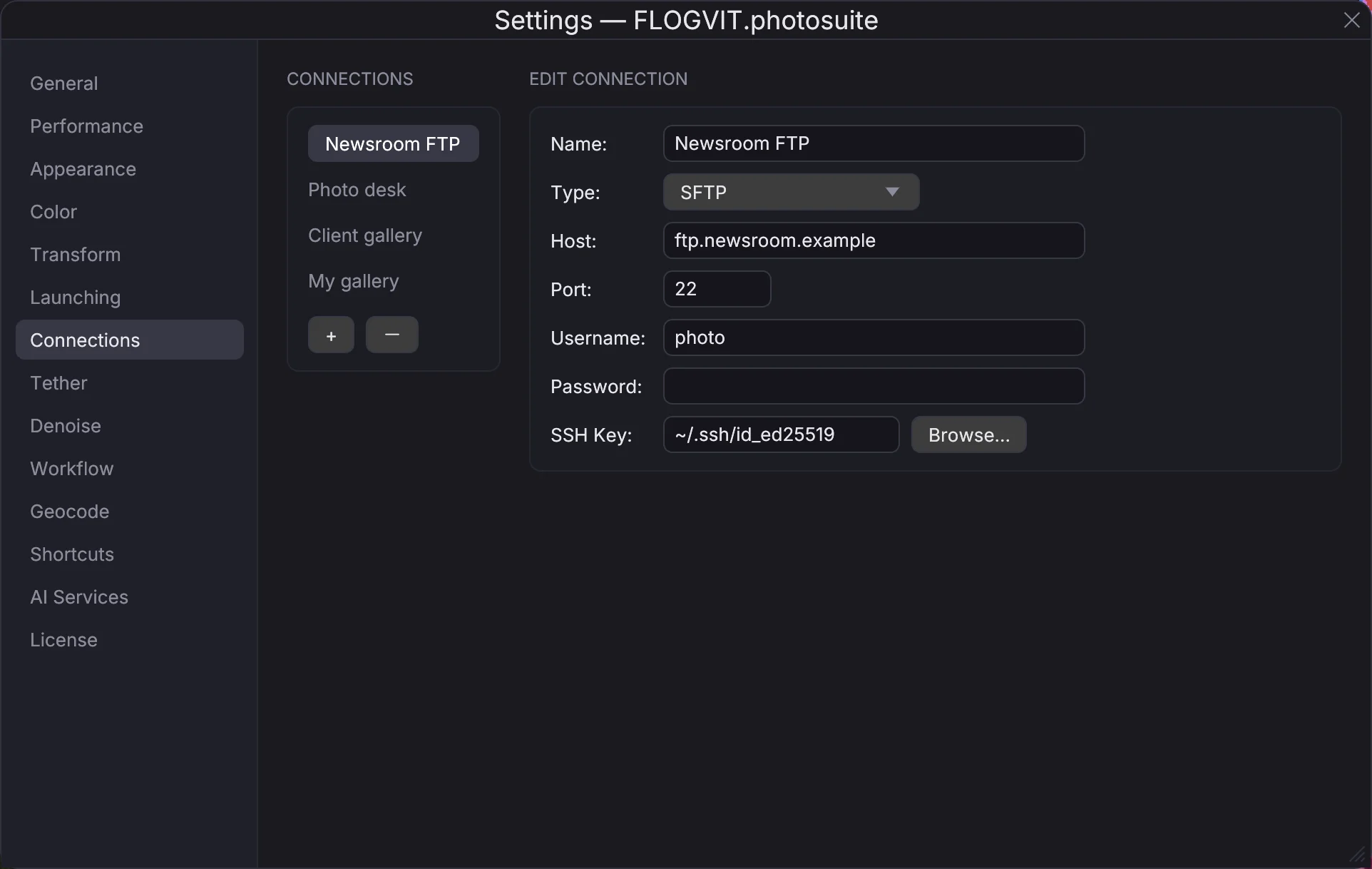
Press + in Settings → Connections, name the connection and choose its Type.
Amazon S3#
Upload to any S3 bucket: Bucket, Region, Access Key and Secret Key. The upload's folder is a prefix in the bucket.
Dropbox#
Upload to your Dropbox with an Access Token from a Dropbox app. A file whose name is taken in the folder is uploaded under a new name, never over the old one.
Google Drive#
Paste the shared folder's link into Folder link. Sign in once with Sign in with Google (with the Client ID and Client Secret of a Desktop OAuth client from Google Cloud Console), and the connection renews its own access from then on — nothing to paste again. Shared drives work too. The app only sees the folders it has made itself, so to deliver into someone else's folder, give that folder's link.
SmugMug#
A SmugMug connection holds your API Key, OAuth Token and OAuth Secret. The folder of the upload (an Export step's folder, or the upload's destination) says which gallery:
- the gallery's link or its node id (
n-jwH2XQ), or its album address (/api/v2/album/…); - or a folder path ending in the gallery's name, such as
Clients/Bedriftsidretten/Energistafetten/Energistafetten 2026. A folder or gallery missing on the way is made, Unlisted and unsearchable, and a new gallery is External so a website can show its pictures.
A picture whose file name is in the gallery already is not sent again, so a delivery run twice does not put every picture there twice. A gallery holds at most 5 000 pictures. Given by its folder path, a full gallery spills into one beside it named <name>-2 (then -3), made the same way, and a race gallery built from that path shows them all. A gallery given by its link or node id cannot spill; a full one is reported.
Flickr#
Upload to Flickr with your API Key, OAuth Token and OAuth Secret. Give a photoset's id as the folder and each picture is added to that set.
WebDAV#
Any WebDAV server — Nextcloud, ownCloud, a NAS: URL, username and password.
rclone (40+ Services)#
Any service rclone supports, including Google Cloud Storage, Azure Blob, Backblaze B2, OneDrive, Box, pCloud and Mega. Set the remote up with rclone config first; then choose it under Remote.
Local#
A folder on this computer or a mounted network disk, under Default Path. A relative upload folder is a folder under it.
eventphotos#
Publishing to eventphotos is its own page: eventphotos.
Upload Settings#
The UPLOADS section says how files go to every destination, cloud or FTP alike — RAW+JPEG, the RAW source, an IPTC template, a saved copy, auto-upload — and Settings → Color → Convert to sRGB on upload converts what is not sRGB. See FTP Upload. A file is sent as it is; to send a developed, resized JPEG, use a workflow's Export step or the Export dialog.
Sidecars and voice notes travel with each picture to the services that store files; SmugMug and Flickr take the pictures only.
Upload Queue#
Uploads run in the background. Track progress in the UPLOADS section:
- Per-file status: queued, sending, done or failed
- Retry failed uploads
- Clear done and Clear sent
- A picture already sent from the folder is not sent again
Also See#
- FTP Upload — For FTP/FTPS/SFTP connections and the upload destinations